Makeup Frenzy Makeup Blending: Smooth Looks Made Easy
Master Makeup Frenzy makeup blending with tips for smoother contour, smoky eyes, and clean lip gradients. Build a polished look before the round ends.
Jump to
How to Blend Makeup in Makeup Frenzy
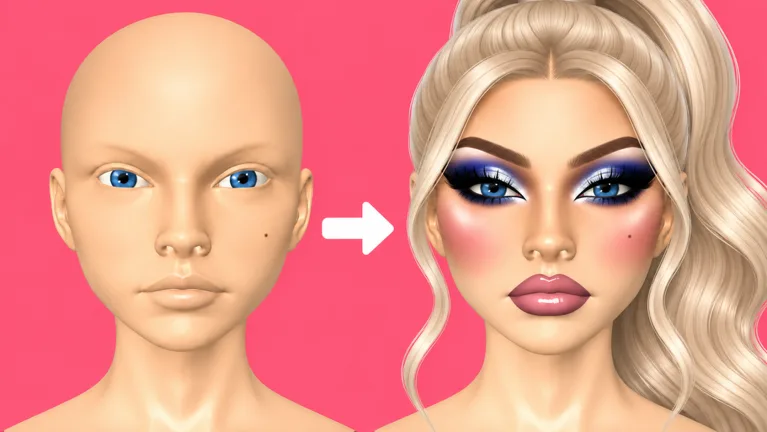
Harsh contour stripes and smudged lips can distract from an otherwise great look, so start your Makeup Frenzy makeup blending routine with controlled application. Select the beauty blender, adjust its size and strength for the area, and soften the transitions between your makeup colors. Makeup Frenzy makeup blending matters because themed rounds end with player voting, where your finished face needs to communicate the look you intended.
The basic workflow is straightforward: apply a product, switch to the blender, work on its edges, and check the whole face before adding more detail. Repeat that process for contour, concealer, eyeshadow, and lip color.
Aim for a visible transition between shades while keeping the shape of each feature clear. For a dramatic monochrome face, leave enough contrast to show the cheekbones and nose. For lips, soften the connection between liner and lipstick while keeping the outline recognizable.
Get Comfortable With the Controls
For Makeup Frenzy makeup blending, the beauty blender has adjustable size and strength. Zoom also helps you work on smaller areas, including the nose, eyelids, and lips.
| Control | Use it during blending |
|---|---|
| Blender size | Reduce it for lips and narrow facial details |
| Blender strength | Lower it for delicate lip blending; adjust it when working on contour |
| Zoom | Move closer for nose contour and eyeliner, then zoom out to inspect the face |
| Undo | Reverse an application when the selected color produces an unwanted result |
Change one control at a time so you can judge the result. If your lip outline needs a gentler transition, lower the strength before making another pass. If the blender feels difficult to place precisely, reduce its size.
Avoid copying a single setting across the entire face. A cheek contour and a narrow lip border need different amounts of precision.
Build a Clean Base and Sculpt the Face
Start by reading the theme and choosing your palette. Makeup Frenzy includes themed competition rounds, and a polished face still needs to match the prompt.
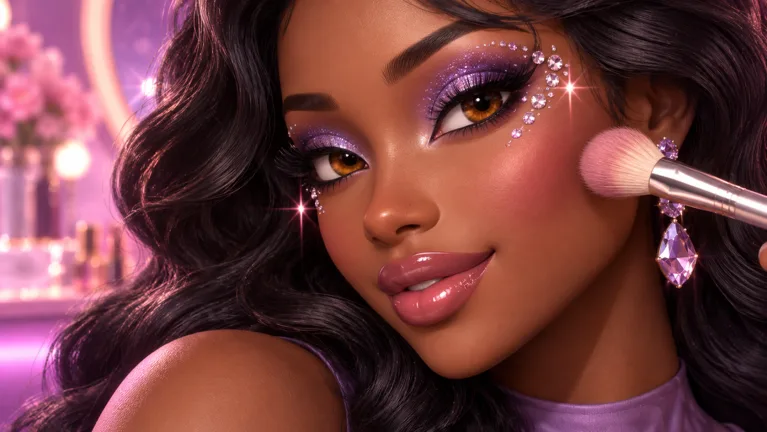 Image: Roblox / ciao kombucha fanclub
For a black, white, and gray theme, a white base with dark contour creates a clear starting point. Keep the concealer, eye makeup, and lip colors within that same palette. For other themes, choose colors that support the requested style before you begin applying products.
Check coverage around the head and beneath the chin when creating a dramatically different base color. An overlooked patch can interrupt the effect once the face is viewed from another angle.
Blend Contour Before Adding Concealer
Work through each facial area separately. Apply cheek contour, blend it, then move to the nose. This gives you a chance to assess the face before adding the next product.
| Stage | What to do | What to inspect |
|---|---|---|
| Cheek contour | Apply contour around the cheeks and cheekbones, then use the beauty blender | The transition between the contour and base |
| Nose contour | Zoom in, place the contour, and blend the narrow area | The shape and balance of the nose shading |
| Concealer | Apply beneath the eyes, on the forehead, and on the chin | Placement relative to the darker contour |
| Concealer blending | Blend the treated areas before moving to eye makeup | Whether the lighter areas connect smoothly with the face |
Makeup Frenzy makeup blending is easier to manage when you finish one area before covering the face with additional products. Keep your attention on the boundary between light and dark makeup, then zoom out to judge the overall result.
For the nose, reduce the working size and take your time with placement. Match the shading on both sides before moving on. Avoid letting one dark line become much heavier than the other.
Use concealer to establish lighter areas beneath the eyes, across the forehead, and on the chin. Blend those areas individually so you can preserve the contrast you deliberately created.
Choose Colors Before Trying to Fix Them
A large color mismatch deserves a color correction. In a natural-looking design, choose shades closer to the base and build the contrast deliberately. In a gothic or monochrome design, use stronger contrast where the theme calls for it.
If a product looks different from what you intended, undo that application and try another shade. Makeup Frenzy supports undo, so use it before spending the rest of the round trying to rescue an unsuitable color.
Blend Smoky Eyes and Lip Gradients
Eyes and lips bring several colors together in small spaces. Reduce your tool size, zoom in when needed, and check both sides of the face frequently.
Keep eye makeup and lip makeup as separate tasks. Finish the eyeshadow transition before adding eyeliner, then complete the lip gradient before applying gloss.
| Feature | Example palette | Blending task |
|---|---|---|
| Smoky eyeshadow | Black shadow with gray inner corners | Soften the transition between the dark and lighter areas |
| Lip gradient | Gray lipstick with black liner | Blend the border with reduced size and strength |
| Inner-corner accent | White glitter | Add the accent after finishing the eyeshadow blend |
Shape the Eyeshadow Before Drawing Liner
For a monochrome smoky eye, apply black eyeshadow and introduce gray at the inner corners. Switch to the blender and work on the meeting point between those shades.
Makeup Frenzy makeup blending around the eyes calls for close attention to shape. Keep the darker portion recognizable, and soften the edges enough to connect it with the lighter inner corner.
Compare the eyes before adding eyeliner. Check how high the shadow reaches, how dark each side looks, and whether the lighter sections occupy similar areas. Correct the largest difference first.
Once the shadow looks balanced, draw the eyeliner wing and connect it. Keep the liner defined as a separate detail. Add lashes afterward, then inspect how much of the eye makeup remains visible around them.
Leave glitter until the shadow is finished. A small white inner-corner accent fits the black-and-gray example without introducing another color.
Blend Lip Liner Into Lipstick
Apply the main lip color across the upper and lower lips, then add the liner. For a monochrome combination, use gray lipstick with a black outline.
Switch to the beauty blender and lower both size and strength. Work along the connection between the liner and lipstick, then zoom out to assess the mouth.
The goal for this combination is a dark border that transitions into the gray center. Keep checking the upper and lower lips so the outline looks intentional on both.
Add gloss after you are satisfied with the gradient. In the monochrome example, white lip gloss completes the combination. Inspect the underlying color before adding that finishing touch.
If the lips already look smudged, pause and identify the problem. Correct an unsuitable color with undo; adjust the blender controls when the transition needs finer work.
Fix Common Blending Problems
When a face starts looking messy, identify the specific area that needs attention. Avoid making changes everywhere at once.
Use this Makeup Frenzy makeup blending checklist to decide your next move:
| Problem | What to try |
|---|---|
| Contour looks too harsh | Adjust the beauty blender strength and soften the contour boundary |
| Nose shading looks uneven | Zoom in and compare the placement on each side |
| Concealer stands out as a separate patch | Blend the edge where the lighter color meets the base |
| Lip liner needs a softer transition | Reduce blender size and strength before working along the border |
| A selected lip color looks wrong | Undo the application and choose another color |
Stop Adding Products While You Troubleshoot
Put the next cosmetic step on hold until you understand the current issue. If the cheek contour looks uneven, compare the cheeks before adding concealer. If the lip color is wrong, correct it before applying gloss.
Check your active tool, too. Makeup Frenzy includes different makeup tools, including eyeliner and an eyebrow pencil. Select the intended product before adjusting its color or placing another stroke.
For brows, use a brow stamp when you want to spend less time drawing individual details. Adjust the stamp size to fit the face, then inspect its relationship to the eye makeup.
Review the Whole Face
Close-up work helps with placement, but remember to zoom out between tasks. Inspect the face as a complete design.
Compare the cheek shading, eye shapes, and lip outline. Fix a noticeable imbalance before polishing a tiny detail that is difficult to see at normal viewing size.
Keep your theme in view during these checks. In a monochrome round, inspect eye color, makeup, and decorative accents for colors outside the requested palette.
Finish Your Look Before the Round Ends
Themed rounds give you a limited window to finish. Allocate your attention across the face instead of spending the entire round perfecting one eyeliner wing.
Use this sequence to keep your Makeup Frenzy makeup blending routine organized:
- Choose a palette that matches the theme.
- Establish the base and blend the cheek contour.
- Sculpt the nose and blend concealer.
- Complete the eyeshadow transition and lip gradient.
- Add eyeliner, brows, lashes, and selected finishing details.
- Adjust the hair and inspect the full look.
Prioritize a complete face before adding decorative extras. Finish the lip combination and check the eyes before experimenting with a shape stamp or additional glitter.
Hair also deserves a final inspection. Makeup Frenzy lets you adjust its placement. Check how it sits around the head and whether it interferes with the makeup you want players to see.
Makeup Frenzy also sells passes for additional customization. As of October 13, 2026, VIP costs 349 Robux and includes VIP makeup tools, voting backgrounds, and three daily theme choices. Shape Stencils costs 119 Robux, Second Hair Slot costs 79 Robux, and My Lookbook - Unlimited Slots costs 139 Robux.
Choose purchases around the features you actually want. Keep practicing product placement, blender adjustments, and theme coordination as separate skills.
When you are ready for another round, play Makeup Frenzy on Roblox and focus on one improvement: balanced contour, a cleaner smoky eye, or a smoother lip transition.
FAQ
How do I improve Makeup Frenzy makeup blending?
Apply one product at a time, select the beauty blender, and adjust its size and strength for the area. Blend the transition between shades, then zoom out before adding the next detail.
What should I adjust when lip blending looks messy?
Reduce the blender size and strength, then work along the border between liner and lipstick. If the color itself looks wrong, undo the application and choose another shade before continuing.
Can I make a black-and-white makeup look?
Yes. Use a white base, black contour, white concealer, and black-and-gray eyeshadow. Gray lipstick with black liner keeps the lip combination within the same palette. Check eye color and finishing accents for theme consistency.
Should I finish blending before adding glitter and gloss?
Finish the underlying eyeshadow and lip gradients first. Then add glitter to the inner corners or gloss to the lips, and inspect the complete face before the round ends.
Popular pages
Makeup Frenzy Best Looks: Smoky Eyes and Gothic Glam
Explore Makeup Frenzy best looks with grayscale glam, smoky eyes, blended lips, and styling tips. Build a cohesive face for your next themed Roblox round.
Makeup Frenzy Competition: Themed Rounds and Vote Tips
Master Makeup Frenzy competition with themed makeup ideas, brush and blending tips, voting basics, and a round checklist. Build a polished look in Roblox.
Makeup Frenzy Hair Slot Guide: Price and Styling Tips
Learn how the Makeup Frenzy hair slot works, what the 79 Robux Second Hair Slot pass unlocks, and how to select and position hair for themed Roblox rounds.
Makeup Frenzy Roblox: Beginner Guide to Looks and Wins
Play Makeup Frenzy Roblox with tips for themed rounds, blending, brows, and voting. Explore makeup tools and game passes, then build looks that stand out.
Join the community
Official channels for news, updates and player help: