Makeup Frenzy Saved Looks: My Lookbook and Slot Guide
Explore Makeup Frenzy saved looks, the 139 Robux My Lookbook pass, and makeup tools. Plan themed designs and compare upgrades before spending your Robux.
Jump to
What Are Makeup Frenzy Saved Looks?
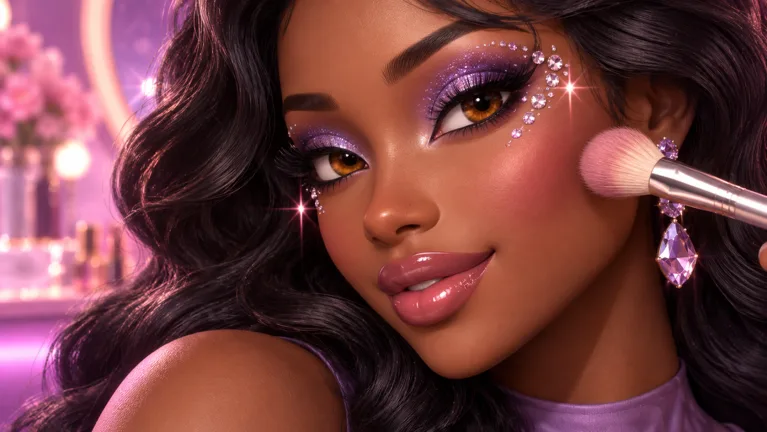
That smoky eye and perfectly blended lip combo deserve a place in your collection. Makeup Frenzy saved looks matter because the game combines detailed makeup design with themed competitions, giving you plenty of reasons to develop different styles. For more collection space, Makeup Frenzy saved looks have a dedicated upgrade: My Lookbook - Unlimited Slots, priced at 139 Robux as of October 13, 2026.
The pass permanently unlocks unlimited saved-look slots. That makes it a different purchase from extra hair capacity, shape stencils, or VIP makeup tools: its stated benefit is room for your saved designs.
| Saved-look detail | What you get |
|---|---|
| Upgrade name | My Lookbook - Unlimited Slots |
| Price on October 13, 2026 | 139 Robux |
| Unlock | Unlimited saved-look slots |
| Duration | Permanent |
Makeup Frenzy’s main loop is straightforward: create makeup, style your character, enter themed rounds, and vote for other looks to earn rewards. A lookbook fits the creative side of that loop, while the competition gives each design a specific challenge.
Think about your collection in terms of recognizable choices. A gray lip with black liner, a blended smoky eye, and a white star accent form a more distinct design than several looks with only tiny differences.
Choose the Lookbook pass for its storage benefit. Keep makeup tools and styling upgrades as separate decisions, so your purchase matches the part of the game you want to expand.
Compare the Lookbook Pass With Other Upgrades
Makeup Frenzy offers several passes, and their names can make them sound closely related. They affect different parts of your makeup setup.
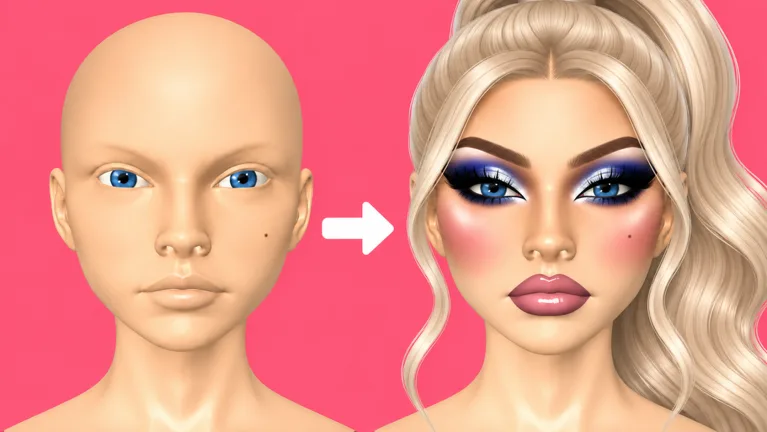 Image: Roblox / ciao kombucha fanclub
Here are the prices and benefits for the October 13, 2026 version:
| Game pass | Price | Included benefit |
|---|---|---|
| My Lookbook - Unlimited Slots | 139 Robux | Permanently unlocks unlimited saved-look slots |
| Second Hair Slot | 79 Robux | Permanently unlocks a second hair slot |
| Shape Stencils | 119 Robux | Permanently unlocks shape stencils |
| VIP | 349 Robux | Unlocks VIP makeup tools, voting backgrounds, and three daily theme choices |
For Makeup Frenzy saved looks, the relevant purchase is My Lookbook. The Second Hair Slot expands your hair setup, while Shape Stencils adds a makeup design feature. VIP bundles tools, backgrounds, and theme choices.
Before spending Robux, identify the benefit you actually want:
- Choose My Lookbook to expand saved-look capacity.
- Choose Second Hair Slot to unlock another hair slot.
- Choose Shape Stencils to unlock shape stencils.
- Choose VIP for its listed makeup tools, voting backgrounds, and daily theme choices.
Keep those benefits separate when comparing prices. Buying extra saved-look space is a collection decision; buying a second hair slot is a styling decision. Neither needs to stand in for the other.
The same distinction applies to competition. The Lookbook pass’s benefit is unlimited slots. Build your round strategy around the actual theme, your makeup choices, and the finished presentation.
Start with a specific goal before opening the purchase screen. “I want more saved-look space” points directly toward My Lookbook. “I want another hair slot” points toward the hair upgrade. That simple check keeps a tempting pass name from distracting you from the feature you came for.
Build Distinct Looks Around a Clear Theme
Makeup Frenzy saved looks are an opportunity to organize your creativity around complete designs. Give each look a clear visual direction instead of adding every effect you can find.
The black, white, and gray theme provides a useful example. It asks you to create interest without relying on colorful makeup. Contrast, blending, eyeliner shape, and small accents become the main design choices.
A monochrome look can combine the following elements:
| Makeup element | Monochrome design example |
|---|---|
| Base | White across the face, back of the head, and underside of the chin |
| Contour | Black along the cheeks and nose, blended out |
| Concealer | White beneath the eyes, on the forehead, and on the chin |
| Eyeshadow | Black shadow with gray at the inner corners |
| Eyeliner and brows | Black winged liner and a black brow stamp |
| Lips | Gray color, black liner, and white gloss |
| Finishing accents | A white star near the eye and white inner-corner glitter |
Use that combination as a design exercise, rather than a requirement for every monochrome round. The important part is keeping each choice inside the theme.
Start with the base and contour. Blend the dark cheek areas before adding more detail, then zoom in for the nose. Use white concealer to create lighter areas beneath the eyes, across the forehead, and on the chin.
Next, give the eyes a defined shape. Black shadow establishes the smoky effect, while gray inner corners add a lighter transition. Draw the eyeliner wing, then connect it to the rest of the line.
For the lips, use gray as the main color and black around the edges. Reduce the blender’s size and strength before working on that smaller area. Finish with white gloss if it suits the design.
Give Each Design a Focal Point
Choose the feature you want someone to notice first: the eyes, the lips, or a decorative accent.
For an eye-focused look, spend your detail work on the smoky shadow, connected liner, and inner corners. For a lip-focused look, concentrate on the gray fill and blended black outline. If the star is your focal point, place it thoughtfully beside the eye.
Keep the other features coordinated with that choice. A strong focal point gives your design a direction and helps you decide where to spend the remaining round time.
When planning Makeup Frenzy saved looks, vary the emphasis between designs. Change the eye treatment, lip contrast, or accent placement deliberately, so each finished look has a recognizable identity.
Use Brush Controls, Presets, and Styling Carefully
The makeup tools give you several ways to refine a design. Brush size, strength, blending, and zoom all play a role in the monochrome example, while brow stamps provide a preset brow option.
Use each control for a specific task:
| Tool or control | Task to practice |
|---|---|
| Brush size | Reduce it for eyeliner, nose contour, and lip details |
| Strength | Adjust it while applying or blending makeup |
| Zoom | Move closer for nose and eyeliner work |
| Beauty blender | Soften contour, concealer, shadow, and lip edges |
| Brow stamp | Apply a preset brow shape and adjust its size |
| Undo | Reverse an unwanted makeup application |
Match the brush to the area you are working on. Reduce its size before drawing fine eyeliner or outlining the lips. For broader face work, adjust the size to cover the intended area without carrying the stroke into nearby details.
Change strength with a purpose, too. Reduce it when softening a lip outline, then review the result before continuing. Avoid making several adjustments at once when you are trying to understand why an effect looks different.
Zoom in to place precise details, then zoom out to review the whole face. A neatly drawn wing still needs to work with the shadow, brows, lashes, and lips around it.
Use Presets Without Skipping the Final Check
Brow stamps offer an alternative to drawing brows by hand. Adjust the stamp size to suit the look, then check how the brows sit above the eyeshadow and liner.
Treat lashes and hair as part of the finished composition. Hair styling includes position adjustments, so move it forward or down as needed while checking the face.
Leave time for that check. Elaborate eyeliner can consume attention, and an unfinished lip combo can leave the design feeling incomplete. Finish the main features before spending the rest of the round on decorative touches.
For Makeup Frenzy saved looks, practice complete combinations of these tools. A design with coordinated brows, eyes, lips, and hair gives you a clearer creative direction than an isolated effect.
Finish the Main Look Before Adding Extras
Themed rounds ask you to balance detail with completion. Build the central look first, then use the remaining time for glitter, stamps, and other finishing choices.
Follow this makeup order for the monochrome example:
- Establish the base. Cover the intended areas, including the back of the head and beneath the chin.
- Apply and blend contour. Work on the cheeks, then zoom in for the nose.
- Add concealer. Blend the under-eye, forehead, and chin areas.
- Complete the eyes and brows. Finish shadow, liner, and the brow stamp.
- Complete the lips. Apply the gray color, black outline, blending, and gloss.
- Review lashes and hair. Check their placement against the finished face.
- Add accents. Place the white star or inner-corner glitter once the main design is complete.
This sequence follows the makeup tasks involved in that look. Use it to keep track of the major features while you work.
Before the round ends, make one final visual pass:
- Check that the colors fit the theme.
- Review contour and concealer blending.
- Check the eyeliner connection.
- Finish the upper and lower lips.
- Review brow size and hair placement.
- Keep decorative accents coordinated with the main makeup.
Makeup Frenzy saved looks can give your collection a creative focus, but themed rounds still call for attention to the current prompt. Keep the theme in mind throughout the design, especially when choosing a striking accent.
The game supports up to 14 players per server, so voting places your finished look alongside other entries. Complete the features you committed to, and review how they work together before the presentation.
To get started, play Makeup Frenzy on Roblox. Practice the makeup controls, decide which collection or styling feature you want, and compare the relevant pass before spending Robux.
FAQ
How much does the Makeup Frenzy saved looks upgrade cost?
My Lookbook - Unlimited Slots costs 139 Robux as of October 13, 2026. It permanently unlocks unlimited saved-look slots.
Does VIP include the same benefits as My Lookbook?
VIP provides VIP makeup tools, voting backgrounds, and three daily theme choices. My Lookbook is the separate pass that permanently unlocks unlimited saved-look slots.
What does the Second Hair Slot pass unlock?
The 79 Robux Second Hair Slot pass permanently unlocks a second hair slot for your makeup looks. Its benefit concerns hair styling.
How should I plan a black, white, and gray look?
Keep your palette monochrome. Build the base, blend black contour, add white concealer, and complete the eyes and lips before adding accents. Use gray shadow or lip color to introduce a middle tone, then finish with a white star or inner-corner glitter if it suits your design.
Continue with
 Makeup Frenzy Shape Stencils: Price and Styling GuideMakeup Frenzy shape stencils cost 119 Robux and unlock permanently. Learn how to use star stamps, match round themes, and finish a coordinated makeup look.
More in Items
Makeup Frenzy Hair Slot Guide: Price and Styling Tips
Learn how the Makeup Frenzy hair slot works, what the 79 Robux Second Hair Slot pass unlocks, and how to select and position hair for themed Roblox rounds.
Makeup Frenzy Makeup Tools: Brushes, Stamps, and Tips
Master Makeup Frenzy makeup tools with tips for blending, eyeliner, brow stamps, glitter, and themed looks. Compare game passes before spending your Robux.
Makeup Frenzy VIP: Price, Perks, and Buying Advice
Makeup Frenzy VIP costs 349 Robux and adds makeup tools, voting backgrounds, and daily theme choices. Compare its perks and other passes before you buy.
Join the community
Official channels for news, updates and player help: