Makeup Frenzy VIP: Price, Perks, and Buying Advice
Makeup Frenzy VIP costs 349 Robux and adds makeup tools, voting backgrounds, and daily theme choices. Compare its perks and other passes before you buy.
Jump to
What Does Makeup Frenzy VIP Include?
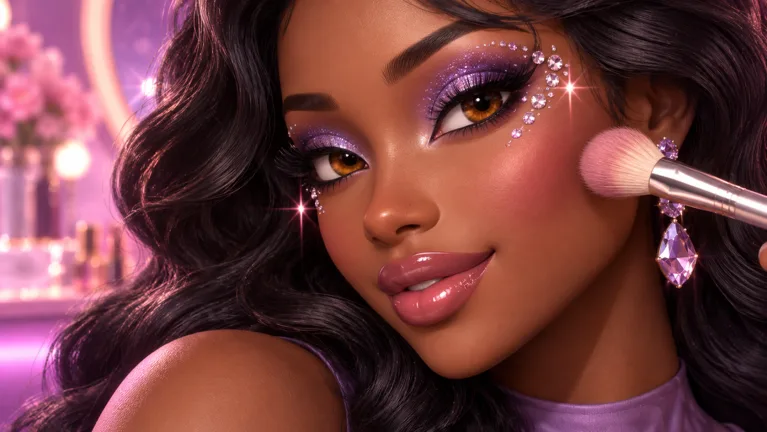
Want more ways to customize your looks between themed rounds? Makeup Frenzy VIP costs 349 Robux, so understanding its perks matters before spending your balance. Makeup Frenzy VIP includes VIP makeup tools, voting backgrounds, and three daily theme choices.
Those benefits cover three parts of the game: creating your makeup, presenting your finished character, and choosing themes. If you enjoy experimenting with looks, start by deciding which of those features you actually want to use.
The prices and pass benefits below apply to Makeup Frenzy on Roblox as of October 13, 2026.
| VIP benefit | What the pass includes |
|---|---|
| Makeup tools | Access to VIP makeup tools |
| Voting backgrounds | Background options for the voting portion of the game |
| Theme choices | Three daily theme choices |
| Price | 349 Robux |
Makeup Frenzy revolves around creating makeup looks, styling your character, and competing in themed rounds. Players then vote for their favorite looks and earn rewards. That makes your finished presentation—and how clearly it matches the theme—central to each round.
Think about the whole look before focusing on individual details. A dramatic lip combination, carefully blended contour, and decorative eye accents should work together. Spending more time on one feature can leave another unfinished when the round ends.
Makeup Frenzy VIP adds options to that creative process. Before buying, decide whether your priority is extra makeup tools, voting backgrounds, or daily theme choices. Keep that priority in mind when comparing the other passes.
Compare VIP With the Other Makeup Frenzy Passes
VIP is one of four passes sold in Makeup Frenzy. The other three focus on specific features: a second hair slot, shape stencils, and unlimited saved-look slots.
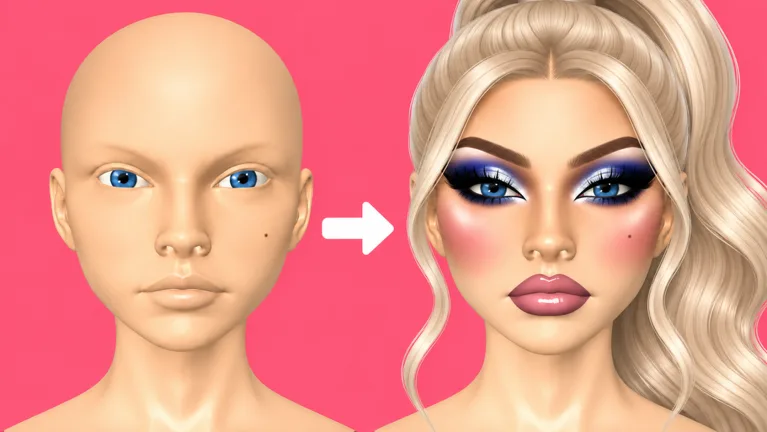 Image: Roblox / ciao kombucha fanclub
These are separate purchases with their own prices and benefits.
| Game pass | Price | Included feature |
|---|---|---|
| VIP | 349 Robux | VIP makeup tools, voting backgrounds, and three daily theme choices |
| Second Hair Slot | 79 Robux | Permanently unlocks a second hair slot |
| Shape Stencils | 119 Robux | Permanently unlocks shape stencils |
| My Lookbook - Unlimited Slots | 139 Robux | Permanently unlocks unlimited saved-look slots |
The three focused passes together cost 337 Robux, which is 12 Robux less than VIP. That comparison helps you see how different the purchases are: a similar total buys a different set of features.
Compare the feature names carefully. Second Hair Slot addresses hair customization. Shape Stencils addresses decorative shapes. My Lookbook - Unlimited Slots expands saved-look storage. Makeup Frenzy VIP combines makeup tools, voting backgrounds, and daily theme choices.
Match your purchase to the feature you want:
- Choose Second Hair Slot if your purchase goal is another hair slot.
- Choose Shape Stencils if you want the permanent stencil unlock.
- Choose My Lookbook - Unlimited Slots if you want unlimited saved-look slots.
- Choose VIP if you want its combination of tools, backgrounds, and theme choices.
Keep the passes separate in your spending plan. If your goal is specifically unlimited saved-look slots, budget around the Lookbook pass. If you want VIP’s daily theme choices, budget around VIP.
Also distinguish the wording of each benefit. The second hair slot, shape stencils, and unlimited Lookbook slots are described as permanent unlocks. VIP’s theme benefit is expressed as three daily choices. Plan around the feature each purchase actually provides.
Get Comfortable With the Makeup Controls
Before buying Makeup Frenzy VIP, practice creating a complete look with the tools you already use. Brush control, blending, and placement all deserve attention during a timed round.
Makeup Frenzy includes makeup application tools, adjustable brush size and strength, blending, brow stamps, lashes, hair styling, and decorative options. Build a routine around those controls so you can spend your attention on the theme.
| Control or tool | Practical tip |
|---|---|
| Brush size | Reduce the size before drawing eyeliner, lip edges, or nose contour |
| Brush strength | Lower the strength when adding a subtle layer of color |
| Beauty blender | Blend contour, concealer, and lip edges before moving on |
| Zoom | Zoom in for detailed placement, then zoom out to review the whole face |
| Brow stamps | Adjust the stamp size before placing the brows |
| Hair adjustments | Review the hair position after moving it forward or down |
Build the face before adding accents
Start with your skin tone, then work through contour and concealer. Blend those areas before adding detailed eye makeup. This gives you a clear point to review the face without lashes, hair, or decorative shapes competing for attention.
For nose contour, reduce the brush size and zoom in. Apply the contour carefully, blend it, and zoom back out. Judge the result alongside the cheeks and forehead rather than inspecting only the nose.
Use the same habit with concealer: apply, blend, then review. Avoid racing through several layers before checking how they look together.
Control the size of your eyeliner
Draw the wing with a smaller brush, then connect it to the rest of the liner. Zoom out afterward to check whether the shape fits the eyes.
Leave time for the lip color, brows, and hair. Detailed eyeliner can absorb a large portion of a round, especially when you keep revising its shape.
Adjust presets before moving on
Brow stamps provide an alternative to drawing individual brows. Resize the stamp before placing it, then check the result at a wider view.
Review lashes and hair with the same care. After adjusting the hair forward or downward, look at the entire head. Placement deserves a final check before you finish.
Practice these controls before adding more choices to your routine. When you decide to use Makeup Frenzy VIP, approach its tools with the same habits: adjust, apply, review, and continue.
Plan a Black, White, and Gray Look
A monochrome theme gives you a clear palette to work with. Build dimension using white, gray, and black, then keep decorative details inside that palette.
Makeup Frenzy’s black, white, and gray round supports a useful practice look: a white base, dark contour, smoky eyes, gray lips, and white accents.
| Part of the look | Monochrome example |
|---|---|
| Base | White skin tone |
| Contour | Black contour, blended around the cheeks and nose |
| Concealer | White under the eyes, on the forehead, and on the chin |
| Eyeshadow | Black shadow with gray toward the inner corners |
| Brows and eyeliner | Black brows and a connected wing |
| Lips | Gray color with black liner and white gloss |
| Decorative accents | White star detail and white inner-corner glitter |
Use this as a practice sequence rather than a requirement for every monochrome round.
- Set the base. Apply the white skin tone and review the face, chin, and back of the head.
- Add dimension. Apply dark cheek and nose contour, then blend it before continuing.
- Place concealer. Use white around the under-eye area, forehead, and chin, then blend.
- Complete the eyes. Apply black shadow, add gray toward the inner corners, and blend the transition.
- Finish the main features. Add eyeliner, brows, lip color, lashes, and hair.
- Add accents last. Finish with a white decorative detail or inner-corner glitter after reviewing the main look.
For the lips, try gray color with black liner. Reduce the blender size and strength when softening the edges, then review the combination before adding gloss.
For the eyes, keep the inner-corner gray distinct enough to read against the black shadow. Zoom out after blending so you can judge both eyes alongside the rest of the face.
Keep the theme visible in your final choices. Review the palette across the eyes, lips, and decorative accents before the voting portion begins.
Use Makeup Frenzy VIP’s extra makeup options within that same plan. Choose the overall palette first, finish the central features, and add details with the remaining time.
Decide Whether VIP Fits Your Play Style
Makeup Frenzy VIP costs more than any of the other individual passes. Make the purchase decision around its three benefits and how you intend to use them.
Write down the feature that interests you most before spending Robux. “More customization” is broad; “I want the VIP makeup tools” or “I want three daily theme choices” gives you a specific reason to buy.
If voting backgrounds are the main attraction, consider how much you care about presenting the finished look during voting. If the tools are your priority, practice your application routine first so you can incorporate additional options without abandoning the rest of the face.
Keep theme choices in perspective as you plan your rounds. Choosing a theme and completing a look are separate tasks. Once you have a theme, select a palette and decide which features deserve the most attention.
Use this checklist before purchasing:
- Identify the VIP benefit you want to use.
- Compare that benefit with the three separate passes.
- Check the displayed Robux price before completing the purchase.
- Practice finishing a themed look without leaving the lips, brows, or hair unfinished.
Then visit the official Makeup Frenzy Roblox page to open the experience and review the purchase options.
After buying, introduce new options gradually. Try a tool while keeping the rest of your routine familiar. Review the result at a wider view before adding more detail.
During each round, prioritize a complete face and a readable theme. Blend the contour, connect the eyeliner, finish the lips, and check the hair placement. Add decorative accents once those features are ready. That routine gives your customization choices a clear purpose.
FAQ
How much does Makeup Frenzy VIP cost?
Makeup Frenzy VIP costs 349 Robux as of October 13, 2026. Check the displayed price before completing your purchase.
What do you get with the VIP pass?
VIP includes VIP makeup tools, voting backgrounds, and three daily theme choices. Those benefits cover makeup customization, voting presentation, and theme selection.
Which pass unlocks a second hair slot?
The Second Hair Slot pass costs 79 Robux and permanently unlocks a second hair slot for your makeup looks.
Which pass gives you unlimited saved-look slots?
My Lookbook - Unlimited Slots costs 139 Robux and permanently unlocks unlimited saved-look slots. Compare that feature with VIP’s tools, backgrounds, and daily theme choices before deciding which purchase fits your goal.
Continue with
 Makeup Frenzy Hair Slot Guide: Price and Styling TipsLearn how the Makeup Frenzy hair slot works, what the 79 Robux Second Hair Slot pass unlocks, and how to select and position hair for themed Roblox rounds.
More in Items
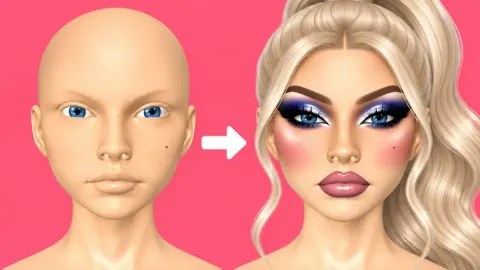
Makeup Frenzy Makeup Tools: Brushes, Stamps, and Tips
Master Makeup Frenzy makeup tools with tips for blending, eyeliner, brow stamps, glitter, and themed looks. Compare game passes before spending your Robux.
Makeup Frenzy Saved Looks: My Lookbook and Slot Guide
Explore Makeup Frenzy saved looks, the 139 Robux My Lookbook pass, and makeup tools. Plan themed designs and compare upgrades before spending your Robux.
Makeup Frenzy Shape Stencils: Price and Styling Guide
Makeup Frenzy shape stencils cost 119 Robux and unlock permanently. Learn how to use star stamps, match round themes, and finish a coordinated makeup look.
Join the community
Official channels for news, updates and player help: