
Makeup Frenzy Style Ideas: Smoky Eyes and Gothic Glam
Explore Makeup Frenzy style ideas with smoky eyes, grayscale lips, and gothic details. Make a themed look, blend cleanly, and finish before the round ends.
Jump to
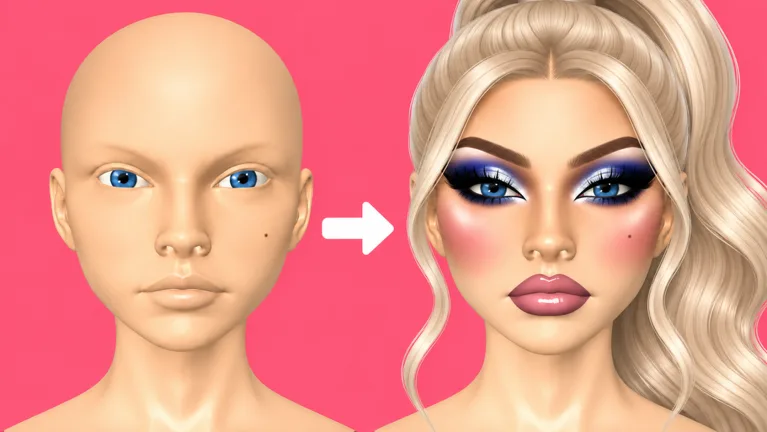
Makeup Frenzy Style Ideas for a Black-and-White Round
A sharp smoky eye and a clean gray lip can give your whole character a clear direction. Makeup Frenzy style ideas matter because you’re creating for a theme, then presenting your look for player voting. Start with Makeup Frenzy style ideas built around a simple palette, finish the main features, and add decorative details afterward.
In play Makeup Frenzy on Roblox, you create makeup, style your character, compete in themed rounds, and vote for your favorite looks. For a black, white, and gray theme, carry that palette through the eyes, lips, and finishing touches.
The monochrome look gives you several choices without needing extra colors. Use black for definition, gray for transitions, and white for contrast. Change how much space each shade occupies to move between soft smoky makeup and stronger gothic styling.
| Part of the look | Grayscale combination |
|---|---|
| Face dimension | Dark contour with white concealer |
| Eyeshadow | Black shadow with gray inner corners |
| Eyeliner and brows | Black liner and black brow stamps |
| Lips | Gray color with black liner and white gloss |
| Decorative details | White star shape and white inner-corner glitter |
Choose one feature to lead the design. Make the eyes dramatic and soften the lip outline, or emphasize the gray-and-black lip combination while keeping the shadow restrained.
For a fully theatrical grayscale face, use a white painted base and blend dark contour carefully. Keep the white concealer placements distinct enough to give the face dimension.
Before adding decoration, zoom out. Check whether the makeup reads as one complete design. If the eyes, lips, and contour all compete for attention, soften one area with the blender.
Build a Smoky Gothic Look Step by Step
For Makeup Frenzy style ideas centered on gothic makeup, build the face in a clear order. Finish the base, define the eyes, complete the lips, and then choose your accents. That sequence gives you a complete look even if you run out of time before adding every detail.
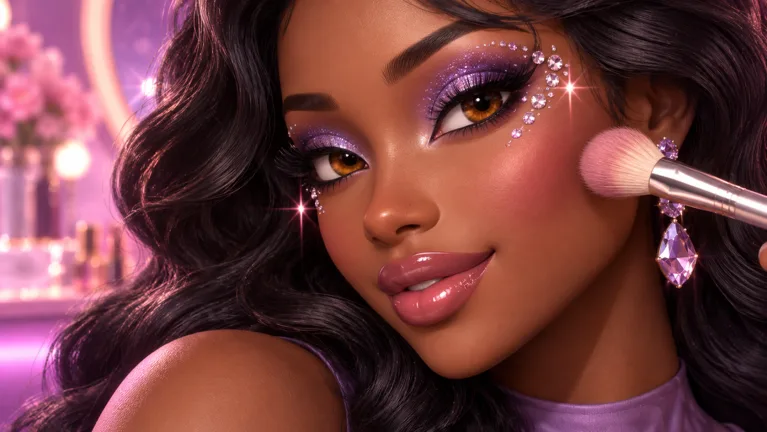 Image: Roblox / ciao kombucha fanclub
Shape and blend the base
Apply dark contour around the cheeks and forehead, then blend it before working on smaller features. Reduce the brush size for nose contour so you can place the color more precisely.
Keep checking the face from different angles. Rotate to inspect the sides, and look beneath the chin when working on a fully painted base. A front view alone can hide unfinished areas.
Add white concealer beneath the eyes, on the forehead, and on the chin. Blend these placements separately, checking that the lighter areas still stand apart from the contour.
Create the smoky eyes
Place black eyeshadow toward the outer portion of each eye, then add gray toward the inner corners. Blend the meeting point rather than repeatedly covering the entire eye with more black.
Zoom out between passes. Compare the height and width of the shadow on both sides before adding liner. Correcting a small difference now takes less attention than rebuilding a heavily decorated eye later.
Draw the wing and place the brows
Reduce the brush size for eyeliner. Draw the wing, connect it to the line along the eye, and check the shape before thickening it.
Use a black brow stamp to complete the brows. Adjust its size to fit the face, then compare its placement with the eyeshadow. Keep the brow shape deliberate without letting it crowd the eye design.
Finish the grayscale lips
Apply gray to both lips, outline them in black, and blend the border with a smaller brush and reduced strength. Add white gloss after the main lip shape looks clean.
| Stage | Action |
|---|---|
| Contour | Blend the larger face areas before detailing the nose |
| Concealer | Blend the under-eye, forehead, and chin placements |
| Eyeshadow | Connect black outer shadow with gray inner corners |
| Eyeliner | Draw the wing, then connect the line |
| Brows | Adjust the black brow stamp’s size and placement |
| Lips | Blend black liner into gray lips, then add gloss |
Once these features are finished, stop and inspect the whole face. Add lashes, hair, and decoration only after you’re happy with the makeup underneath.
Change the Finish With Lips, Stars, and Glitter
You don’t need to rebuild the entire face to explore more Makeup Frenzy style ideas. Adjust the contrast, move the emphasis, or change the final accent. Keep the theme’s palette while giving each version a different focal point.
Soften the smoky finish
Use more gray around the inner eyes and blend the black edges carefully. Keep the wing compact, then soften the black lip outline into the gray center.
Let the blended eyeshadow carry the look. Add a small amount of white inner-corner glitter if you want a brighter finish, and check it from a zoomed-out view before adding more.
Reduce the strength when blending the lip border. Work along the transition instead of sweeping across the entire mouth. Preserve enough of the outline to keep the lip shape visible.
Push the gothic contrast
Keep the black eyeliner distinct and give the outer eyeshadow a stronger shape. Pair those eyes with a clearly defined gray lip and black border.
Blend the contour so it supports the face rather than becoming the first thing you notice. Use white concealer to separate the lighter areas from the dark shading.
Complete both eyes before increasing the contrast further. If one wing is larger or one patch of shadow extends higher, correct that difference before adding lashes.
Add a star accent
Place a white star beside an eye when you have access to the shape tools. Use it as a finishing detail after the shadow and eyeliner are complete.
Check the star’s position against the wing and brow. Leave enough space for the shape to remain readable, and zoom out to see whether it adds to the design.
The Shape Stencils pass costs 119 Robux and unlocks shape stencils. Keep a version of your design centered on eyeshadow and lips so your plan doesn’t depend on buying that upgrade.
Whichever finish you choose, connect the details through color. A gray lip, black wing, and white accent can feel coordinated even when their shapes are very different.
Use Brush Controls and Presets to Keep the Look Clean
Turn Makeup Frenzy style ideas into finished faces by adjusting the tools as you work. Larger areas and fine details need different brush sizes, while blending calls for attention to strength.
Avoid carrying the same settings from cheek contour straight into eyeliner. Pause at each feature, resize the brush, and zoom in when you need more precision.
| Tool or control | Action to try |
|---|---|
| Brush size | Use a larger brush for broad areas and a smaller one for liner and nose details |
| Strength | Reduce it when softening the lip outline |
| Beauty blender | Blend contour, concealer, shadow transitions, and lip borders |
| Zoom and face rotation | Inspect small features and areas beyond the front view |
| Brow stamp | Adjust the size before settling on placement |
| Undo | Remove an unwanted application before continuing |
Blend with a purpose. Smooth the contour boundary, soften the shadow transition, or connect the lip colors. Stop once that specific area looks finished, then inspect the result at normal viewing size.
Keep eyeliner separate from the blending work around it. Finish the shadow first, draw the wing, and check the connection. That order gives you fewer overlapping details to manage.
Use undo when a color application doesn’t match your plan. Remove the mistake before layering on additional makeup that makes the area harder to correct.
Presets also deserve a placement check. A brow stamp still needs the right size, and lashes need positioning. Adjust them around the makeup you’ve already created instead of treating their initial placement as final.
Finish the Round and Choose Optional Style Upgrades
The most useful Makeup Frenzy style ideas are ones you can complete during the round. Put the theme, eyes, brows, and lips ahead of small decorative touches. Finish the face before spending too much time perfecting one wing or adding glitter.
Use this final check before presenting your character:
- Compare both eyes at the same zoom level.
- Inspect the lip outline and blended center.
- Check the sides of a fully painted face.
- Adjust lashes and brows around the eyes.
- Move the hair into position and inspect the fit.
- Remove colors that fall outside the round’s theme.
Hair deserves a separate look after the makeup is complete. Adjust it forward or downward as needed, then inspect how it sits around the face. Give the eyes and brows enough visibility to show the work you’ve done.
Players vote on their favorite looks, so make the theme easy to read. For a black-and-white round, examine the full character for stray color before adding another finishing detail.
Optional passes expand specific tools and styling features. These are the October 13, 2026 prices and included features:
| Game pass | Price | Included features |
|---|---|---|
| VIP | 349 Robux | VIP makeup tools, voting backgrounds, and three daily theme choices |
| Second Hair Slot | 79 Robux | A permanent second hair slot |
| Shape Stencils | 119 Robux | Permanent access to shape stencils |
| My Lookbook - Unlimited Slots | 139 Robux | Unlimited saved-look slots |
Choose an upgrade around the feature you want to use. Select Shape Stencils for stencil designs, or Second Hair Slot for an additional hair slot. Keep refining your brush placement, blending, and color choices alongside those options.
Before finishing, take one last zoomed-out look. Correct the largest visible issue first, then leave the smaller accents alone once the face feels complete.
FAQ
What Makeup Frenzy style ideas fit a black-and-white theme?
Build around black smoky eyes, gray inner corners, black brows, and gray lips with black liner. Finish with white gloss or a white decorative accent. Keep every added detail within the black, white, and gray palette.
How do I make smoky eyes look cleaner?
Place black toward the outer eye and gray toward the inner corner, then blend their boundary. Compare both eyes before drawing the wings. Use a smaller brush for eyeliner so you can control its shape.
Does Makeup Frenzy have shape stencils?
Yes. The Shape Stencils pass permanently unlocks shape stencils and costs 119 Robux as of October 13, 2026. Plan a complete eye-and-lip combination before adding stencil details.
What should I finish before adding glitter?
Complete the base, eyeshadow, eyeliner, brows, and lips. Position your lashes and hair, then inspect the whole character. Add inner-corner glitter after the main makeup looks clean and matches the theme.
Continue with
 Makeup Frenzy Winning Looks: A Guide to Themed RoundsCreate Makeup Frenzy winning looks with a grayscale makeup walkthrough, blending tips, smarter round planning, and a clear guide to optional Roblox passes.
More in Looks
Makeup Frenzy Best Looks: Smoky Eyes and Gothic Glam
Explore Makeup Frenzy best looks with grayscale glam, smoky eyes, blended lips, and styling tips. Build a cohesive face for your next themed Roblox round.
Makeup Frenzy Face Ideas: Smoky Eyes and Gothic Looks
Explore Makeup Frenzy face ideas with smoky eyes, gray lip combos, and gothic details. Build a themed Roblox look with blending tips and finishing touches.
Makeup Frenzy Faces Roblox: How to Create Standout Looks
Makeup Frenzy faces roblox: learn to blend contour, shape brows, create smoky eyes, and finish a grayscale look. Build your themed face with confidence.
Makeup Frenzy Makeup Looks: Smoky Eyes and Style Tips
Create Makeup Frenzy makeup looks with smoky eyes, gray lips, and polished styling. Follow a monochrome tutorial and learn how to finish themed rounds.
Join the community
Official channels for news, updates and player help: