Makeup Frenzy Faces Roblox: How to Create Standout Looks
Makeup Frenzy faces roblox: learn to blend contour, shape brows, create smoky eyes, and finish a grayscale look. Build your themed face with confidence.
Jump to
How to Create Faces in Makeup Frenzy
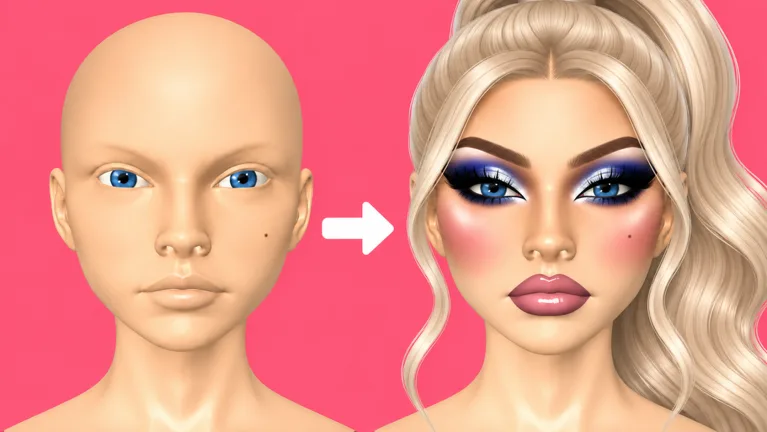
A sharp wing and a finished lip combo can give your entire makeup look a clear direction. If you're searching for Makeup Frenzy faces roblox, the key is combining face customization, painted makeup, and presets into a look that fits the round's theme. This Makeup Frenzy faces roblox guide walks you through those tools, a grayscale face recipe, and finishing touches to check before voting.
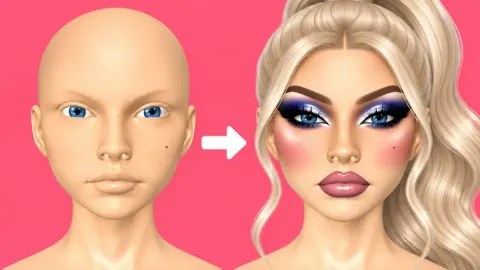
Makeup Frenzy lets you create makeup looks, style your character, compete in themed rounds, and vote for other players' creations. Faces come together through choices such as contour, concealer, eyeshadow, eyeliner, brow stamps, lip color, lashes, and eye customization.
Start by reading the theme before choosing your colors. A black, white, and gray round calls for a different palette than a colorful makeup concept. Keep that restriction in mind throughout the face, including the eyes and decorative accents.
Build the overall look before spending time on tiny details. Choose your base, establish the eye makeup, and finish the lips. Then add lashes, glitter, or a shape accent if you still have time.
The game was updated on October 13, 2026, and supports up to 14 players per server. With themed competition and player voting at the center of each round, aim for a face that communicates your idea clearly.
For Makeup Frenzy faces roblox, think of the finished face as one composition. Check how the brows, eyes, and lips work together instead of judging each feature separately.
Get Comfortable With the Face Tools
The customization tools let you work on broad areas and smaller details. Brush size, strength, blending, and zoom all appear in the makeup workflow, alongside presets such as brow stamps.
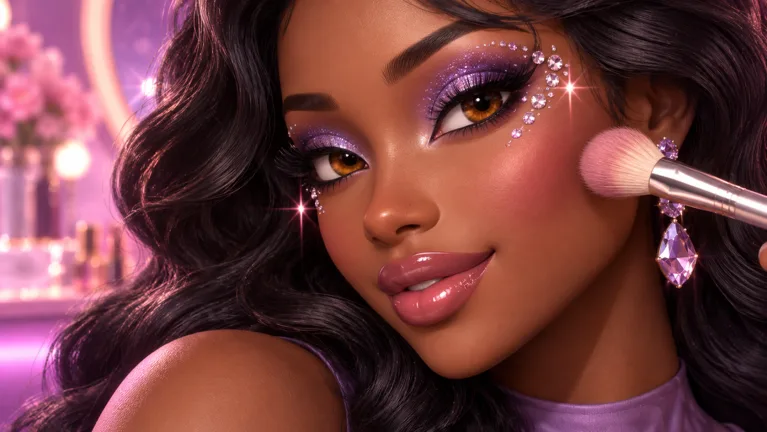 Image: Roblox / ciao kombucha fanclub
| Tool or option | What you can do with it |
|---|---|
| Brush size | Adjust the size while applying makeup |
| Strength | Adjust the strength while painting or blending |
| Beauty blender | Blend contour, concealer, eyeshadow, and lip color |
| Brow stamps | Choose a brow design and adjust its size |
| Eye customization | Change the eye appearance and color |
| Lashes | Add lashes to the face |
| Glitter | Apply glitter accents, including at the inner corners |
Paint Broad Areas Before Fine Details
Use a larger brush when working across the cheeks or forehead. Reduce the size before moving to nose contour, eyeliner, or lip edges.
Zoom in for precise work, then zoom out to review the whole face. A wing deserves attention, but so does its relationship to the eyeshadow and brows. Check both views before moving on.
Adjust strength as you work rather than keeping one setting for every feature. Use lighter applications when you want to build a transition gradually, and review the result before adding more color.
Blend Each Area With a Purpose
Blend the cheek contour before starting another feature. Soften the concealer around the under-eyes, forehead, and chin, then inspect the face again.
For eyeshadow, blend the transition between the darker outer area and lighter inner corner. For lips, use a smaller blender and lower strength when softening the liner into the lip color.
Keep a deliberate edge where the design needs one. Blend the shadow transition while preserving the shape of your eyeliner wing.
Use Presets to Keep Moving
Choose a brow stamp when you want to spend your painting time elsewhere. Adjust its size, then zoom out to inspect how the brows frame the eyes.
When planning Makeup Frenzy faces roblox looks, decide which feature deserves the most attention. Give the smoky eyes extra care, for example, and use a brow preset to complete the surrounding face.
Build a Black, White, and Gray Face
The grayscale theme gives you a concrete look to practice: a white base, dark contour, smoky eyes, gray lips, and bright finishing accents. Keep every color choice within black, white, and gray.
| Face area | Grayscale combination |
|---|---|
| Base | White across the face, back of the head, and beneath the chin |
| Contour | Black around the cheeks and nose, blended afterward |
| Concealer | White beneath the eyes, on the forehead, and on the chin |
| Eyeshadow | Black shadow with gray at the inner corners |
| Brows and eyeliner | Black brow stamp and black winged liner |
| Lips | Gray color, black liner, and white lip gloss |
| Finishing accents | Gray eyes, lashes, and white inner-corner glitter |
Establish the Base and Contour
Apply the white base across the face. Rotate the head to check the back and look beneath the chin before moving on.
Add black contour around the cheeks, then blend it. Zoom in to place the nose contour and soften that area separately. Review the face from farther away before adding concealer.
Place white concealer beneath the eyes, across the forehead, and on the chin. Blend those areas before starting the eye makeup.
Give this stage enough attention to establish the face, then move forward. Leave time for the eyes and lips rather than repeatedly reworking one cheek.
Shape the Smoky Eyes
Apply black eyeshadow, then add gray near the inner corners. Blend the boundary between those shades.
Reduce the brush size and zoom in for eyeliner. Draw the wing, then connect it to the rest of the liner. Zoom out to compare the two eyes before continuing.
Select a black brow stamp and adjust its size. Add lashes, then choose gray for the eye color to keep the face within the theme.
For Makeup Frenzy faces roblox grayscale designs, keep checking the full palette. Review the eye color along with the painted makeup before calling the eyes finished.
Complete the Lip Combo
Fill both lips with gray, then outline them in black. Use a smaller blender with reduced strength to soften the transition between liner and lip color.
Add white lip gloss to finish the combination. If the applied color doesn't match your intended shade, use undo and choose again before continuing.
Zoom out once more. Compare the lips with the smoky eyes and brows, and make any final adjustments before decorating the face.
Add a Final Accent
Apply white glitter near the inner corners for a bright detail. A white star beside the eye is another option when you have access to the shape tools.
The Shape Stencils pass costs 119 Robux and permanently unlocks shape stencils. Keep the main face complete before spending time placing a decorative shape.
Finish the Face Before the Round Ends
Timed rounds require you to divide attention between makeup and character styling. Detailed eyeliner can take up time that you also need for lips, lashes, and hair.
Complete each major feature before revisiting small imperfections. Once the base, eyes, brows, and lips are finished, use the remaining time for refinements.
| Area to review | What to inspect |
|---|---|
| Base coverage | Face, back of the head, and beneath the chin |
| Contour and concealer | Blended cheeks, nose, under-eyes, forehead, and chin |
| Eye makeup | Shadow transitions and connected eyeliner wings |
| Brows | Stamp size against the rest of the face |
| Lips | Coverage on both lips and the blended liner |
| Hair | Position around the head after adjusting the style |
Check the Face at Different Angles
Rotate the head while working on the base and contour. Inspect the underside of the chin rather than relying on the front view alone.
Zoom out after detailed work. Review the full face before deciding that a small area needs another pass.
For Makeup Frenzy faces roblox looks with strong contrast, compare the dark contour, black brows, and eyeliner together. Adjust the feature that pulls your attention away from the design you intended.
Leave Time for Hair Placement
Choose the hair after establishing the makeup, then inspect its position. The styling controls allow position adjustments, including moving the hair forward and down.
Hair can clip through the head during presentation. Inspect the fit while styling and avoid spending all your remaining time on makeup alone.
Use this final checklist:
- Check that the colors follow the theme.
- Finish both lips before adding decorative accents.
- Review brow size and eyeliner together.
- Inspect hair placement.
- Add glitter or a shape only after completing the main face.
Understand Optional Passes and Themed Voting
Makeup Frenzy has several passes tied to tools, styling, voting backgrounds, and saved looks. These prices reflect October 13, 2026.
| Game pass | Price | Included feature |
|---|---|---|
| VIP | 349 Robux | VIP makeup tools, voting backgrounds, and three daily theme choices |
| Second Hair Slot | 79 Robux | Permanent access to a second hair slot |
| Shape Stencils | 119 Robux | Permanent access to shape stencils |
| My Lookbook - Unlimited Slots | 139 Robux | Unlimited saved-look slots |
Read the feature names carefully before purchasing. Second Hair Slot concerns hair styling, while My Lookbook - Unlimited Slots concerns saved looks. Shape Stencils adds decorative shape options, and VIP includes tools plus voting backgrounds and daily theme choices.
Keep your design focused on the round. If you're working on a grayscale face, finish the contour, smoky eyes, and lip combination before deciding how to use an extra decoration.
Vote With the Theme in Mind
Players rate looks during the voting stage. Consider how closely each face follows the theme, how complete it is, and how its features work together.
For a black, white, and gray round, inspect the palette across the whole look. Notice the eyes and lips as well as the larger areas of makeup.
Apply that same review to your own creation. Check theme accuracy before adding another accent, and finish an incomplete feature before polishing one that's already done.
Practice Makeup Frenzy faces roblox designs by repeating the grayscale combination and changing individual details, such as brow size, the shadow blend, or lip liner. Compare the results as complete faces.
When you're ready for another round, play Makeup Frenzy on Roblox and build your next look around the theme.
FAQ
How do I customize Makeup Frenzy faces roblox looks?
Combine painted makeup with customization options such as brow stamps, eye colors, and lashes. Adjust brush size and strength, blend the makeup, and zoom out regularly to review the entire face.
How do I make a grayscale face?
Use a white base, blended black contour, white concealer, black-and-gray eyeshadow, black brows, and gray lips with black liner. Finish with gray eyes, lashes, and white glitter.
How much does Shape Stencils cost?
Shape Stencils costs 119 Robux as of October 13, 2026. It permanently unlocks shape stencils for your makeup looks.
What does the unlimited Lookbook pass include?
My Lookbook - Unlimited Slots costs 139 Robux as of October 13, 2026. It permanently unlocks unlimited saved-look slots in Makeup Frenzy.
Continue with
 Makeup Frenzy Makeup Looks: Smoky Eyes and Style TipsCreate Makeup Frenzy makeup looks with smoky eyes, gray lips, and polished styling. Follow a monochrome tutorial and learn how to finish themed rounds.
More in Looks
Makeup Frenzy Best Looks: Smoky Eyes and Gothic Glam
Explore Makeup Frenzy best looks with grayscale glam, smoky eyes, blended lips, and styling tips. Build a cohesive face for your next themed Roblox round.
Makeup Frenzy Face Ideas: Smoky Eyes and Gothic Looks
Explore Makeup Frenzy face ideas with smoky eyes, gray lip combos, and gothic details. Build a themed Roblox look with blending tips and finishing touches.
Makeup Frenzy Style Ideas: Smoky Eyes and Gothic Glam
Explore Makeup Frenzy style ideas with smoky eyes, grayscale lips, and gothic details. Make a themed look, blend cleanly, and finish before the round ends.
Makeup Frenzy Winning Looks: A Guide to Themed Rounds
Create Makeup Frenzy winning looks with a grayscale makeup walkthrough, blending tips, smarter round planning, and a clear guide to optional Roblox passes.
Join the community
Official channels for news, updates and player help: