Makeup Frenzy How to Play: Beginner Tips for Each Round
Learn Makeup Frenzy how to play, from brush controls and blending to themed rounds, styling, and voting. Build a complete look before the timer runs out.
Makeup Frenzy how to play: Your First Round
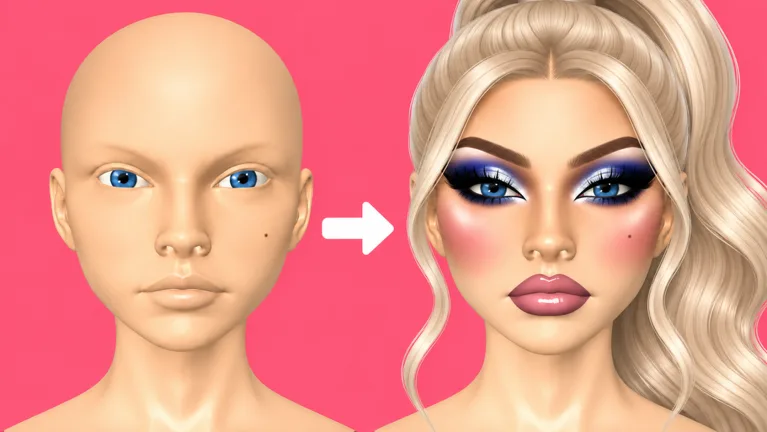
A sharp eyeliner wing means little if the timer ends before you finish the rest of your face. This Makeup Frenzy how to play guide walks you through creating a complete look, matching the theme, and joining the vote. Start with the essentials in this Makeup Frenzy how to play walkthrough, then add the details that make your character stand out.
Makeup Frenzy is a Roblox experience built around applying makeup, styling your character, and competing in themed rounds. You create your look during the round, then players rate the finished designs. The game also includes rewards and ranks, with names such as Beauty Rookie and Glow Getter.
Open Makeup Frenzy on Roblox to get started. If you are experimenting with makeup outside a competitive round, look for the competition button at the bottom of the screen.
| Round stage | What happens | What to focus on |
|---|---|---|
| Theme | The round gives you a creative prompt | Choose colors and details that fit it |
| Makeup | You apply and blend your design | Finish the face before adding elaborate extras |
| Styling | You choose hair, lashes, and other finishing details | Keep the makeup visible |
| Voting | Players rate the completed looks with stars | Consider theme accuracy and execution |
| Results | Round placements appear | Review which parts of your design need work |
Read the theme before touching your tools. A black, white, and gray prompt calls for a different palette than a colorful look. Decide on your base, eye makeup, and lip color early so you spend the round applying makeup instead of repeatedly changing direction.
Keep your first design manageable. Complete the eyes, brows, and lips, then use the remaining time for contour, glitter, or decorative accents. A detailed eye paired with unfinished lips can leave the whole face looking incomplete.
Learn the Brushes, Blender, and Presets
The tool controls are the next part of Makeup Frenzy how to play to get comfortable with. Brush size, strength, zoom, and the beauty blender all appear during makeup creation, and each deserves a little practice.
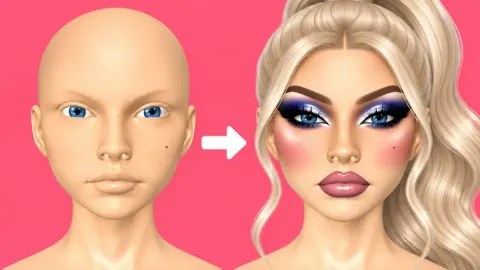
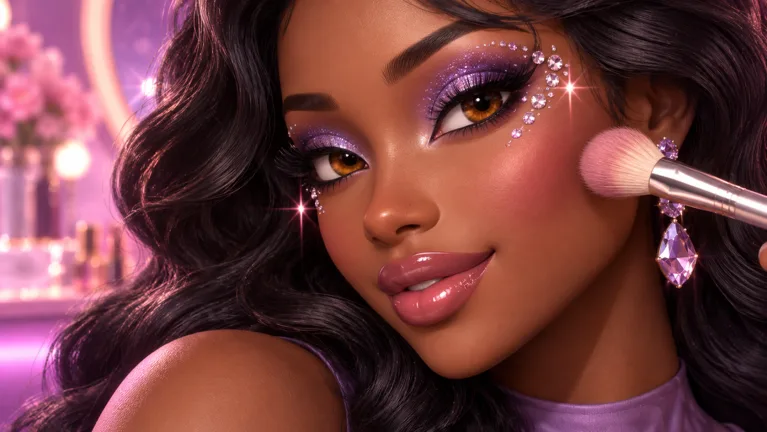 Image: Roblox / ciao kombucha fanclub
Choose the intended tool before applying anything. Eyeliner and eyebrow pencil serve different purposes, and confusing them can send your design in the wrong direction. Check the tool name whenever you switch between brows, eyes, and lips.
| Tool or control | Function during makeup creation |
|---|---|
| Brush size | Adjusts the size of the application brush |
| Strength | Adjusts the strength of application or blending |
| Zoom | Gives you a closer view for detail work |
| Beauty blender | Blends applied makeup |
| Undo | Reverses an unwanted application |
| Brow stamp | Applies a preset eyebrow design |
| Hair adjustments | Repositions a selected hairstyle |
Reduce your brush size before drawing eyeliner, outlining lips, or contouring the nose. Increase it when covering broader areas. Avoid keeping the same size for every task: the brush that covers a cheek can be awkward around an inner eye corner.
Adjust strength gradually. Start lightly when building a dark contour or lip outline, then check the result before adding more. Strong contrast can suit a dramatic theme, but leave yourself enough time to soften the edges.
Blend with the feature in mind
Use the beauty blender after contour, concealer, eyeshadow, or lip color when you want softer transitions. Around the lips, lower the blender size and strength before working along the outline. Keep the blending focused so your lip shape stays readable.
Zoom out between detailed steps. A wing can look neat close up yet feel oversized beside the rest of the face. Check both eyes together before moving on.
For eyebrows, try the brow stamp and adjust its size to suit your character. Use the pencil when you want to draw the shape yourself. Practice the more detailed option while experimenting, then choose the method you can finish comfortably during a timed round.
Build a Complete Makeup Look
For a practical Makeup Frenzy how to play example, try a monochrome design using black, white, and gray. These colors appeared together as a round theme, and they give you a clear way to practice contrast without juggling a large palette.
Use the sequence below as a makeup routine. Treat it as a plan you can simplify when the timer gets tight.
1. Set the base and add dimension
For this Makeup Frenzy how to play routine, choose your skin tone before working on smaller facial details. For an all-white monochrome design, check the back of the head and beneath the chin as well as the front.
Apply dark contour around the cheeks and blend it. Reduce the brush size for the nose, then soften those marks before adding concealer.
Use white concealer beneath the eyes, on the forehead, and on the chin for this particular palette. Blend each area, then zoom out to check the balance across the face.
2. Finish the eyes and brows
Apply black eyeshadow for a smoky look, with gray toward the inner corners. Blend the transition rather than leaving a sharp boundary between the shades.
For winged eyeliner, draw the wing and connect it to the rest of the line. Keep the brush small enough to work precisely. If the liner is consuming the round, shorten the wing and move on.
Add black brows using a stamp or pencil. Adjust their size before committing to extra details.
3. Complete the lips
Apply gray lip color, outline it with black, and blend the edge using a smaller blender with reduced strength. Add white lip gloss if you want another finishing layer.
Use undo when a selected color gives you an unwanted result. Fix the application immediately instead of stacking more products over a shade you already dislike.
4. Add the finishing touches
Choose lashes and adjust your eye color to fit the palette. Add glitter to the inner corners if time allows. Keep decorations small enough that they complement the eyes rather than cover them.
| Feature | Monochrome example |
|---|---|
| Base | White skin tone |
| Contour | Black, blended around the cheeks and nose |
| Concealer | White beneath the eyes, on the forehead, and on the chin |
| Eyeshadow | Black with gray inner corners |
| Brows | Black brow stamp |
| Lips | Gray color, black outline, and white gloss |
| Eye color | Gray |
| Glitter | White inner-corner accents |
Choose one area as your main detail. Pair smoky eyes with simpler lips, or give the lip outline more attention while keeping the liner short. Finish the whole face before returning to that focal point for extra polish.
Style Your Character and Handle Voting
Hair and lashes are part of the finished presentation, so leave time to check them. Open Style, then Hair, choose a hairstyle, and adjust its position. Hair can be moved forward and down during styling.
Check the face after placing the hair. Keep the brows, eyeliner, and decorative details visible. If the hairstyle overlaps the head awkwardly, revisit its position before spending more time on glitter.
Lashes can also dominate the eye area. Compare them with your eyeliner before moving on; a large lash shape can obscure a wing you spent much of the round drawing.
Keep this Makeup Frenzy how to play checklist handy while learning the round:
- Match your makeup colors to the theme.
- Finish both eyes, brows, and lips.
- Blend any transitions you intended to soften.
- Check hair placement and lash coverage.
- Add decorative details only after the main look is complete.
Watch the whole face, not just one feature
Avoid using most of the round on eyeliner. Detailed wings take attention, and an unfinished lip combination can become obvious during voting.
Alternate between close work and a full-face check. After completing the eyes, zoom out. Repeat after the lips and again after choosing hair. Compare the features together instead of judging each one in isolation.
When the voting phase begins, players rate looks using stars. Consider how well each design follows the theme, whether the face is complete, and how the colors work together.
For a black, white, and gray round, pay attention to the whole palette. A polished design with colorful elements still departs from that prompt. Rate the finished look fairly, then use the results to choose one skill to practice in the next round.
Understand Game Passes Before Spending Robux
Makeup Frenzy offers passes for additional tools, styling options, and saved-look capacity. As of October 13, 2026, the following passes and prices are available.
| Game pass | Price | Included features |
|---|---|---|
| VIP | 349 Robux | VIP makeup tools, voting backgrounds, and three daily theme choices |
| Second Hair Slot | 79 Robux | Permanently unlocks a second hair slot |
| Shape Stencils | 119 Robux | Permanently unlocks shape stencils |
| My Lookbook - Unlimited Slots | 139 Robux | Permanently unlocks unlimited saved-look slots |
Match a purchase to the feature you actually want. Choose Second Hair Slot for an additional hair slot, Shape Stencils for stencil designs, or the Lookbook pass for unlimited saved-look slots. Review VIP separately if its makeup tools, voting backgrounds, or daily theme choices interest you.
Practice your brush control before buying extra tools. Additional options still require you to choose a palette, place the makeup, and finish within the round.
Keep your spending decision separate from your design review. After a round, identify the specific problem: oversized liner, uneven blending, unfinished lips, or awkward hair placement. Practice that skill instead of immediately adding more options to the routine.
FAQ
What is the basic Makeup Frenzy how to play loop?
Create makeup that matches the round’s theme, style your character, and take part in star voting. Round results display placements, and the game includes rewards and ranks.
How do you fix makeup mistakes?
Use undo for an unwanted application. For harsh transitions, select the beauty blender and adjust its size and strength. Zoom out afterward to check the correction against the rest of the face.
How do you add and adjust hair?
Open Style, then Hair, and select a hairstyle. Adjust its position, including moving it forward or down, then check whether it overlaps your head or hides the makeup.
What should beginners finish before adding glitter?
Complete the main eye makeup, brows, and lips, then check your hair and lashes. Add glitter or decorative accents with the remaining time, keeping the round’s theme in mind.
Continue with
 Makeup Frenzy Perfect Look Guide: Polish Every RoundUse this Makeup Frenzy perfect look guide to match themes, blend contour, refine eyeliner, and finish your Roblox makeup before the round ends. Start here.
More in Guide
Makeup Frenzy Guide: Better Looks for Themed Rounds
Use this Makeup Frenzy guide to build themed looks, blend makeup, style hair, and understand game passes. Learn to finish your look before voting starts.
Makeup Frenzy vs Makeup Mania: Which Roblox Game Wins?
Makeup Frenzy vs Makeup Mania: Compare makeup tools, themed rounds, presets, and Robux passes, then learn how to finish a look before the timer runs out.
Join the community
Official channels for news, updates and player help: