Makeup Frenzy vs Makeup Mania: Which Roblox Game Wins?
Makeup Frenzy vs Makeup Mania: Compare makeup tools, themed rounds, presets, and Robux passes, then learn how to finish a look before the timer runs out.
Jump to
Makeup Frenzy vs Makeup Mania: Which Should You Play?
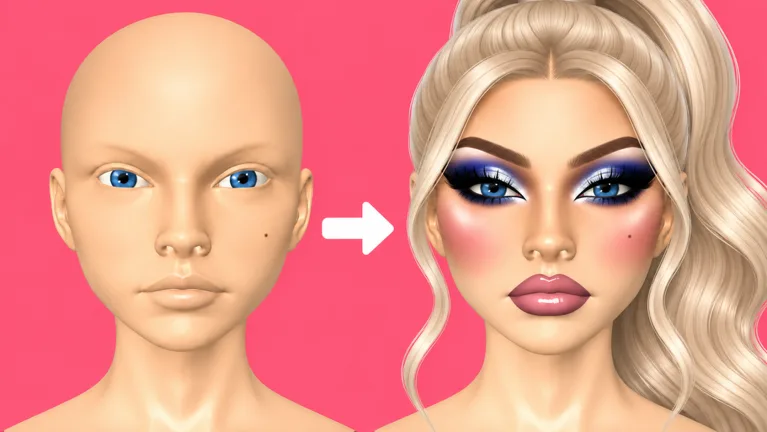
A perfect eyeliner wing means little if the round ends before you finish your lips. Makeup Frenzy vs Makeup Mania matters because both Roblox makeup games ask you to balance detailed face painting with timed themes and player voting. For Makeup Frenzy vs Makeup Mania, start with Frenzy if you want accessible presets, or try Mania if drawing individual details is part of the fun.
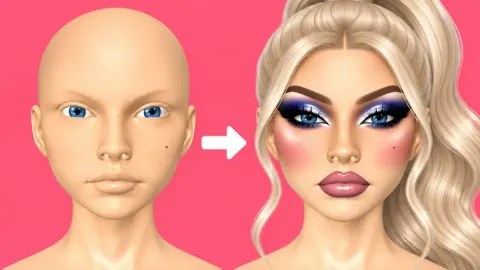
Both games let you build a makeup look, style it, and present it for ratings. Their shared appeal is the transformation: a blank face becomes a coordinated character through contour, eyeshadow, brows, lips, lashes, and hair.
Frenzy’s presets make parts of that process easier to manage. Mania offers a detailed makeup workflow, but navigating its many tools can feel busy while the clock is running.
| Comparison point | Makeup Frenzy | Makeup Mania |
|---|---|---|
| Round structure | Themed makeup creation followed by player voting | Themed makeup creation followed by player voting |
| Brow technique used | Adjustable brow stamps | Hand-drawn brows with a pencil |
| Example theme | Black, white, and gray | “Main character morning,” with peach tones and a bright-eyed finish |
| Finishing details | Lashes, hair, glow, glitter, and shape decorations | Lashes, hair, highlight, lip gloss, and setting spray |
| Shared challenge | Finishing details before time runs out | Finishing details before time runs out |
Those brow techniques illustrate different ways to work; they do not represent complete inventories of either game’s tools.
Makeup Frenzy openly takes inspiration from Makeup Mania. As of October 13, 2026, Frenzy had accumulated 6,598,602 visits and 26,785 favorites, with servers supporting up to 14 players. That gives its rapid growth some context, but your choice should come down to the controls you enjoy using.
Makeup Tools: Painting Details or Using Presets
The useful distinction in Makeup Frenzy vs Makeup Mania is how you build your look. Both involve applying color and blending it, rather than simply selecting a finished face.
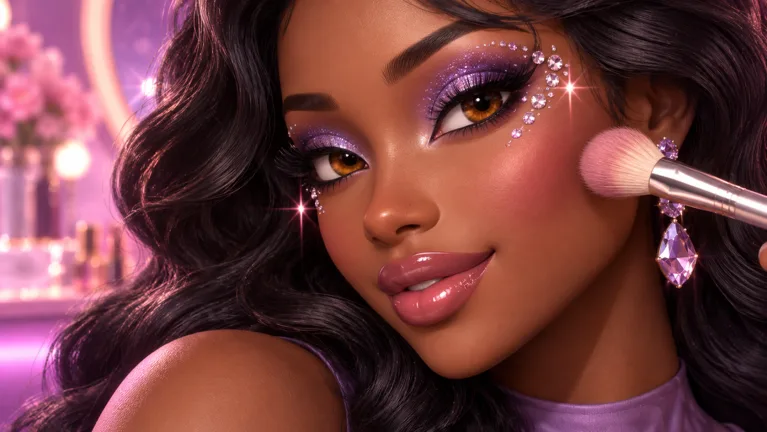 Image: Roblox / ciao kombucha fanclub
In Mania, a natural makeup routine can include custom contour shades, concealer, blush, brown eyeshadow, drawn brows, and a layered pink lip combination. Brush size and strength matter throughout. A large brush helps cover broader areas, while a smaller brush gives you room to draw eyeliner or individual brow strokes.
Frenzy also supports detailed application. You can blend contour, create smoky eyes, draw eyeliner, line lips, and adjust your hairstyle. Its brow stamps offer a shortcut for one part of the face, leaving more attention available for other details.
| Tool or adjustment | What it changes | Tip |
|---|---|---|
| Brush size | The area covered by your application | Reduce it before drawing narrow lines or working around the nose |
| Brush strength | The intensity of your application | Lower it when building softer contour or lip color |
| Blender | The transition between applied colors | Blend broad areas before moving on to small details |
| Zoom | Your working view of the face | Zoom in for liner, then zoom out to inspect the whole look |
| Brow stamp in Frenzy | Brow shape and size | Adjust its size before committing to the rest of your eye makeup |
Build the base before the accents
Apply your base and contour before investing time in brows and eyeliner. Painting across finished detail creates extra cleanup, especially when you are still learning where each tool applies color.
Choose a contour shade that works with your intended palette. For a natural look, avoid starting with a dramatically darker shade and trying to blend away all the contrast afterward. Lower the strength and build the effect gradually.
Match the technique to the round
Draw brow strokes in Mania when you want that detail to be part of your design. Keep the shape simple if you still have lips, lashes, and hair to finish.
In Frenzy, use an adjustable brow stamp when drawing brows would consume too much of your remaining time. You still need to choose its color and size so it belongs with the rest of the face.
Frenzy’s easier presets do not eliminate the learning curve. Selecting the wrong tool, using an oversized brush, or blending contrasting shades too aggressively can still change your look quickly.
Themes: Natural Makeup and Monochrome Looks
Themes give both games their direction. They turn a makeup session into a specific challenge, and they give other players something concrete to judge.
For Makeup Frenzy vs Makeup Mania, two useful examples are Mania’s “main character morning” prompt and Frenzy’s black, white, and gray round. One calls for a fresh finish; the other restricts the entire palette.
| Makeup element | Mania’s morning look example | Frenzy’s monochrome look example |
|---|---|---|
| Base and contour | Skin tone with softened contour and concealer | White base with black contour blended into gray |
| Eyeshadow | Brown shades with lighter inner corners | Black smoky shadow with gray inner corners |
| Brows | Brown, drawn with an arched shape | Black, applied with a resized brow stamp |
| Lips | Pink color, darker lining, and clear gloss | Gray color, black lining, and white gloss |
| Final styling | Blonde hair, lashes, and highlight | Hair, lashes, a white star decoration, and white glitter |
These are examples you can adapt, rather than required recipes. Follow the theme’s actual wording before copying any individual detail.
Keep a morning look fresh
For “main character morning,” use the peach-toned prompt to guide your color choices. Keep contour blended and let blush add warmth without overwhelming the face.
Choose light eye colors if you want to emphasize the bright-eyed finish. Brown eyeshadow and a controlled wing can frame the eyes while keeping the overall design soft.
Finish the lip combination before spending your remaining time on tiny highlights. Lips, brows, and eyes give the face its main expression; those areas deserve attention before optional accents.
Use contrast within a monochrome palette
For a black, white, and gray theme, create depth through value instead of adding extra colors. White concealer against softened dark contour can define the face, while gray gives you a middle shade for transitions.
Blend black eyeshadow into gray rather than letting every edge stay equally sharp. Keep eyeliner more defined so it remains visible against the smoky shadow.
Use a white star or glitter accent only after the main makeup is complete, and check any paid tool requirements before planning around it.
Theme matching also matters during voting. A polished design with an unrelated color can lose appeal when the round specifically asks for monochrome makeup. Inspect hair, eye color, and decorative details alongside the face.
Makeup Frenzy Passes: What Your Robux Buys
Spending is a separate decision in Makeup Frenzy vs Makeup Mania. Frenzy offers several passes with specific benefits, so choose around the feature you actually want to use.
The following prices and features apply to Makeup Frenzy as of October 13, 2026.
| Makeup Frenzy pass | Price | Included benefit |
|---|---|---|
| VIP | 349 Robux | VIP makeup tools, voting backgrounds, and three daily theme choices |
| Second Hair Slot | 79 Robux | A permanent second hair slot for makeup looks |
| Shape Stencils | 119 Robux | Permanent access to shape stencils |
| My Lookbook - Unlimited Slots | 139 Robux | Unlimited saved-look slots |
VIP bundles several benefits. Its daily theme choices are a distinct feature from its makeup tools and voting backgrounds, so consider which part of the package interests you before purchasing.
The other passes are narrower. Second Hair Slot adds another hair slot, Shape Stencils adds decorative shapes, and My Lookbook - Unlimited Slots expands saved-look capacity to unlimited slots.
Identify your recurring need before spending:
- Choose Second Hair Slot if an additional hair slot is the feature you want.
- Choose Shape Stencils if shape decorations are central to your planned looks.
- Choose My Lookbook - Unlimited Slots if you want unlimited room for saved looks.
- Consider VIP if its tools, backgrounds, and daily theme choices appeal to you together.
Separate cosmetic access from application skill. Extra tools give you additional options, but brush control, blending, and theme matching still require attention.
Play Makeup Frenzy on Roblox and get familiar with its interface before deciding which pass fits your routine.
Finish the Look Before You Chase Every Detail
Time management is a shared lesson in Makeup Frenzy vs Makeup Mania. Detailed eyeliner can absorb the attention you meant to give your lips or hairstyle. Even with presets, it is possible to reach voting with an unfinished design.
Build a complete face before polishing individual features. That lets you spend any remaining time improving a coherent look instead of rushing to add missing pieces.
- Read the theme and choose the palette. Decide whether the round calls for natural warmth, grayscale contrast, or another direction.
- Apply the base and broad shading. Finish contour and concealer while larger brush movements are still useful.
- Complete eyes, brows, and lips. Give each major feature a finished shape before refining one area repeatedly.
- Add lashes and adjust hair. Inspect their placement against the face instead of assuming the initial fit works.
- Use remaining time for accents. Add highlight, glitter, or decorative shapes when the core design is already complete.
Inspect the whole face between close-up tasks
Zoom out after finishing eyeliner or brows. A detail can look tidy close up and still feel too heavy beside the rest of the makeup.
Reduce brush size before blending lip liner so the transition stays controlled. Keep checking the relationship between the lip color and outline rather than focusing only on one small section.
Adjust hair position carefully. Its placement can change how much of your eye makeup remains visible and how the finished character reads.
Vote for the finished design
During voting, assess theme matching, blending, and overall completeness together. A restrained natural face and a dramatic gothic face need different palettes, but both benefit from intentional edges and coordinated styling.
Look beyond one impressive feature. A sharp wing is only part of the design; brows, lips, and hair contribute to the final result too.
For Makeup Frenzy vs Makeup Mania, choose Frenzy when you want the convenience of its presets. Choose Mania when you want to spend more of the round drawing details yourself. In either game, finish the main look before chasing the smallest flourish.
FAQ
Which game is easier in Makeup Frenzy vs Makeup Mania?
Makeup Frenzy has accessible presets, including adjustable brow stamps, that simplify parts of creating a face. Makeup Mania’s many tools can take more attention to navigate during a timed round. Start with Frenzy if presets are your priority.
Is Makeup Frenzy inspired by Makeup Mania?
Yes. Makeup Frenzy identifies Makeup Mania as its inspiration. Both games involve creating makeup looks for themed rounds and voting on the finished designs.
What does Makeup Frenzy VIP include?
As of October 13, 2026, VIP costs 349 Robux and includes VIP makeup tools, voting backgrounds, and three daily theme choices. Second Hair Slot, Shape Stencils, and My Lookbook - Unlimited Slots are separate passes.
How can I avoid submitting an unfinished makeup look?
Complete your base, eyes, brows, lips, lashes, and hair before refining small accents. Use a smaller brush for narrow details, zoom out between close-up tasks, and leave glitter or decorative shapes until the main design is finished.
Continue with
 Makeup Frenzy Guide: Better Looks for Themed RoundsUse this Makeup Frenzy guide to build themed looks, blend makeup, style hair, and understand game passes. Learn to finish your look before voting starts.
More in Guide
Makeup Frenzy How to Play: Beginner Tips for Each Round
Learn Makeup Frenzy how to play, from brush controls and blending to themed rounds, styling, and voting. Build a complete look before the timer runs out.
Makeup Frenzy Perfect Look Guide: Polish Every Round
Use this Makeup Frenzy perfect look guide to match themes, blend contour, refine eyeliner, and finish your Roblox makeup before the round ends. Start here.
Join the community
Official channels for news, updates and player help: